Best Camera Accessories For Your Live Stream Setup
May 2021 / Video and Live Stream
In your live stream configuration, accessories play a vital part. You may have difficulty while configuring the camera when you are about to start your live stream, and I understand how frustrating it can get. Here, I will discuss some camera accessories you should consider if you want to make sure everything will turn out okay when you click start.
Best Stands and Tripods for Camera
Tripods are one of the main accessories you should consider when you buy a camera. Basically, they are useful to eliminate jerkiness and allow you to position the camera. They are also helpful when talking about professional live videography. Imagine how you can film steadily or move the camera correctly without a tripod. Here, I will discuss some of the best tripods you can buy to make your live broadcasts better.
Any Tripods Less Than $100
For your setup, you don’t need to invest in a high-end premium tripod. If you’re new and don’t have a big budget for accessories, don’t spend too much on the tripod. This device’s primary function is to allow you to position your camera in the desired stance and stabilize video recording. This fundamental function is possible with any tripod that costs less than $100. Try not to spend money on these accessories, especially if you have a limited budget, and instead save it for more important items such as a camera, microphone, or lenses.
A three-strand tripod for a smartphone or a medium-height tripod for DSLR cameras will do great. These basic cheap tripods, however, would be lacking Bluetooth and other control buttons, but they are enough for adjusting and mounting the camera in the desired location.
I mean, they can lessen certain fundamental jerks through stabilizing. A medium or big tripod, of course, cannot act as a stabilizer, only a tiny tripod can make it possible to stabilize a camera.
JOBY GorillaPod 5K Kit
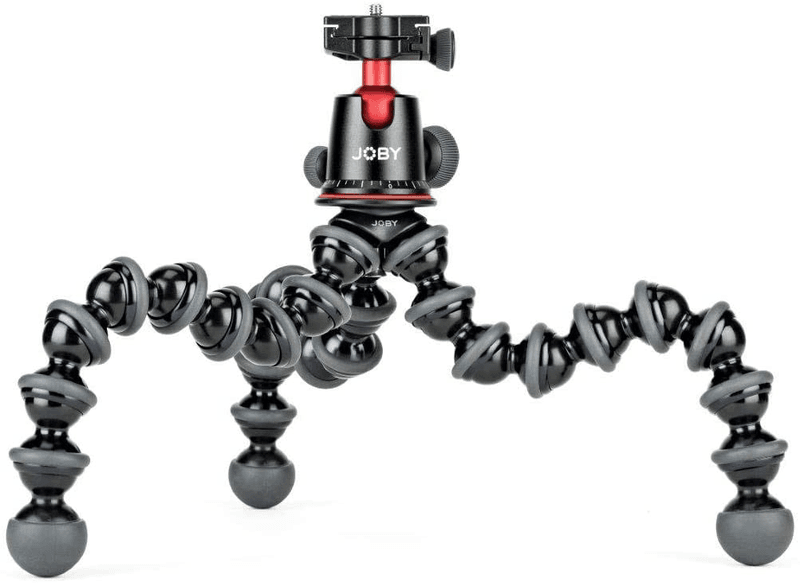
JOBY is great for producing high-quality camera accessories. Nobody can compare to this beast in terms of build quality and materials. GorillaPod 5K Kit was made up of three spokes and you can wrap them around one another. It means that you can shift its legs into whatever position you like. Tripods with wrappable legs are far superior to tripods with stiff legs. Because you can simply modify the legs of these flexible tripods to suit your needs–especially when you are traveling.
The greatest and most significant asset of JOBY is its adaptability. You can squeeze and move it to fit in your bag, considering it’s an octopus-based tripod. The item is generally around 200 dollars. It comes with a sturdy ball head that can comfortably support cameras weighing up to 3 kg.
JOBY GorillaPod 5K Kit has solid metal legs that are customizable, unlike other cheap octopus tripods. If you’re searching for a sturdy and long-lasting tripod at a tight price, JOBY is the way to go! If you want to try JOBY GorillaPod 5K Kit, click here!
Manfrotto PIXI Tripod
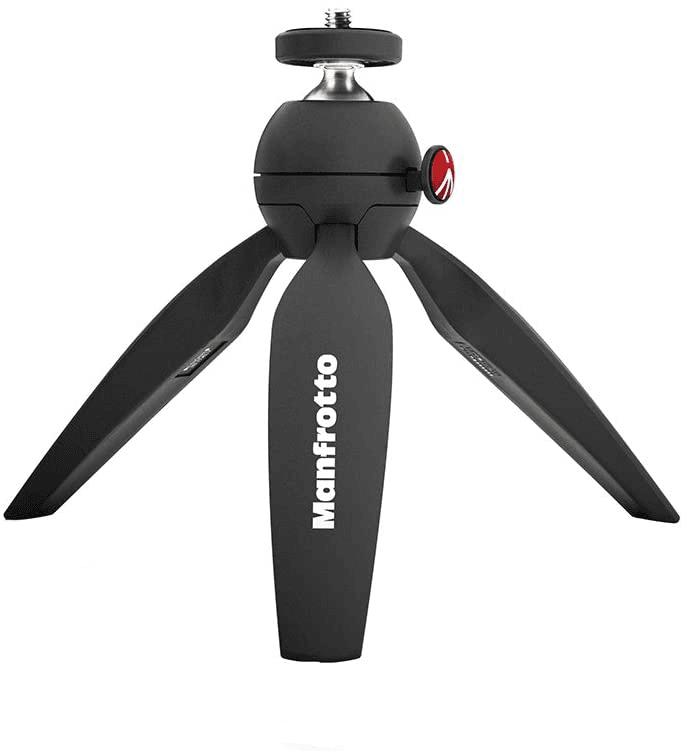
Manfrotto has created a tripod specifically for inside shooting and setup. This is the reason why it’s one of the best tripods I recommend. If you don’t like octopus tripods or flexible-leg tripods, this tripod is for you. The legs are not totally 360° rotatable, unlike octopus tripods, but they are enough to allow you to alter it in any direction.
This tripod may be a little cheap but it’s great in terms of dependability and build quality. The price of this tripod may vary based on your region, the provider, and the time of purchase. This tripod’s price ranges between 20 to 35 dollars, although this price may change depending on your location. Buy Manfrotto PIXI Tripod!
Elgato Multi-Mount
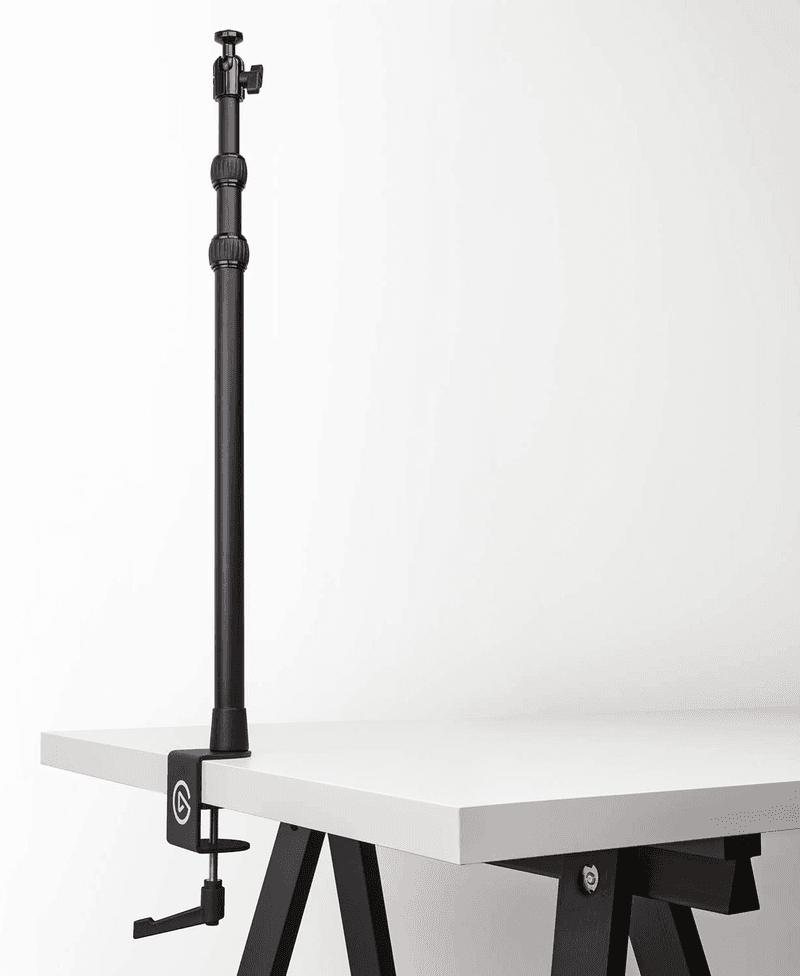
The Elgato Multi-Mount tripod is a game-changer. This incredible tripod is one-of-a-kind and extremely practical addition to any live streaming setup. It is not really a tripod, although it performs similarly to or better than one. It’s a “modular stiff structure,” according to the manufacturer.
It’s a set of metal rods that you may personalize to your liking. You can use it for unpacking or cooking broadcasts. You’ll love this tripod! It’s one of the best camera accessories out there!
Its simple “Master Mount L” is ideal for a solitary live broadcast setup. The L Mount consists of a single long rod that can be stretchable up to 1.9 feet in length. All you have to do is attach the camera to the ball head on the second end and attach the first end to your desk.
There are a few requirements that you must consider before you install L Mount on your desk. First, you must have a place on the lower side of the desk area where you wish to connect the tripod. If you want to use L Mount on your desk, you’ll need to buy a base for it. Try Elgato Multi-Mount!
Capture Cards
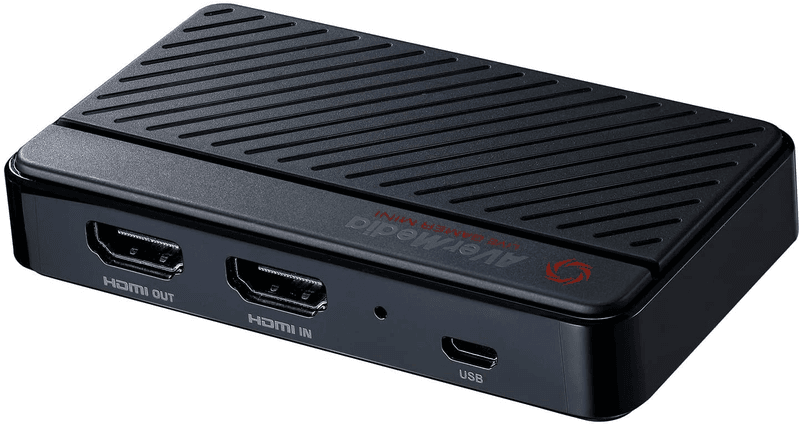
Capture cards transform analog signals into digital signals that a computer can comprehend. Gaming consoles do not have the ability to do live streaming–a capture card is a little gadget that allows you to do that.
They’re designed to be used for gaming, not live broadcasting. They also function as a game console’s output monitor and an HDMI port are generally included. The female HDMI port on the capture card is connected to the male HDMI port on your gaming console, just like a monitor. The gaming console will now detect you’ve attached a monitor and will transmit all of the screens to that capture card.
You should connect the capture card to the USB port on your computer, then, depending on your PC, you may need to install the card’s driver. After that, launch your live stream program, which will recognize the capture card and begin displaying the display on your PC.
The user can see everything you do on your console on your PC through capture in real-time. Then, you can share that display in your live stream through any live stream software. This is how you can do live streaming on your console through capture cards!
Other Camera Accessories
Extra HDMI Cables or HDMI to Mini/micro-HDMI Cables
HDMI is a popular way to send digital videos and audios from a source, such as a TV cable box or a computer, to a projector, TV, or computer monitor. They are preferred over other connection technologies if you want high-quality, high-definition video. Moreover, HDMI plugs come in three different sizes. They also display ultra-high-speed, premium-speed, and high-speed standards, so you have to assume standard if it isn’t specified. Of the five HDMI connector types, Type(A) and Type(C) are currently the most popular.
Wide-angle or Macro Lenses and ND Filters
If you want to record yourself at a very close distance, you should use macro lenses. However, before buying a macro lens, it’s important to think about the focal length feature. A macro lens with a shorter focal length is both affordable and portable. A wide-angle lens can capture the entire landscape as well as other large-frame subjects, providing you with all the information you need. In comparison to macro lenses, they give you a wider view. These can result in distortion, but it all depends on the effect you want to achieve.
Remote Shutter
Without utilizing your camera’s built-in timer, how can you include yourself in a group photo or video? Using this is a decent technique to prevent yourself from running back and forth from your camera to your position when you are going to do a live stream.
Some cameras use Infrared or Bluetooth to trigger the shutter using official or third-party remote buttons. Others require a physical cable-release device, which can be attached to the camera’s specialized socket or the flash hot-shoe.
All in all, these remote shutters’ releases differ in complexity and price, but what’s great is that you just need to take a shot or start streaming by pressing a button.
And That’s It!
Hopefully, this article gave you ideas on what camera accessories you should prioritize for your live streaming.
Remember that you don’t need to spend too much on these! What you have to do is to just look for accessories that you really need and what you think is really helpful for you.

Written by Joon K Lee
Owner

Everything You Need To Know About Conversions
Conversion rates are one of the most important indicators you should look…
What are the Best SaaS Tools for Digital Marketers?
Software as a Service, or SaaS, is a cloud-computing software accessed through…